SessionPrinter
Export the stems you need. Skip the repeat setup.
Select, customize, and export organized stems from your Ableton Live Set in one workspace. Let SessionPrinter handle the repetitive export steps so you can focus on the music.
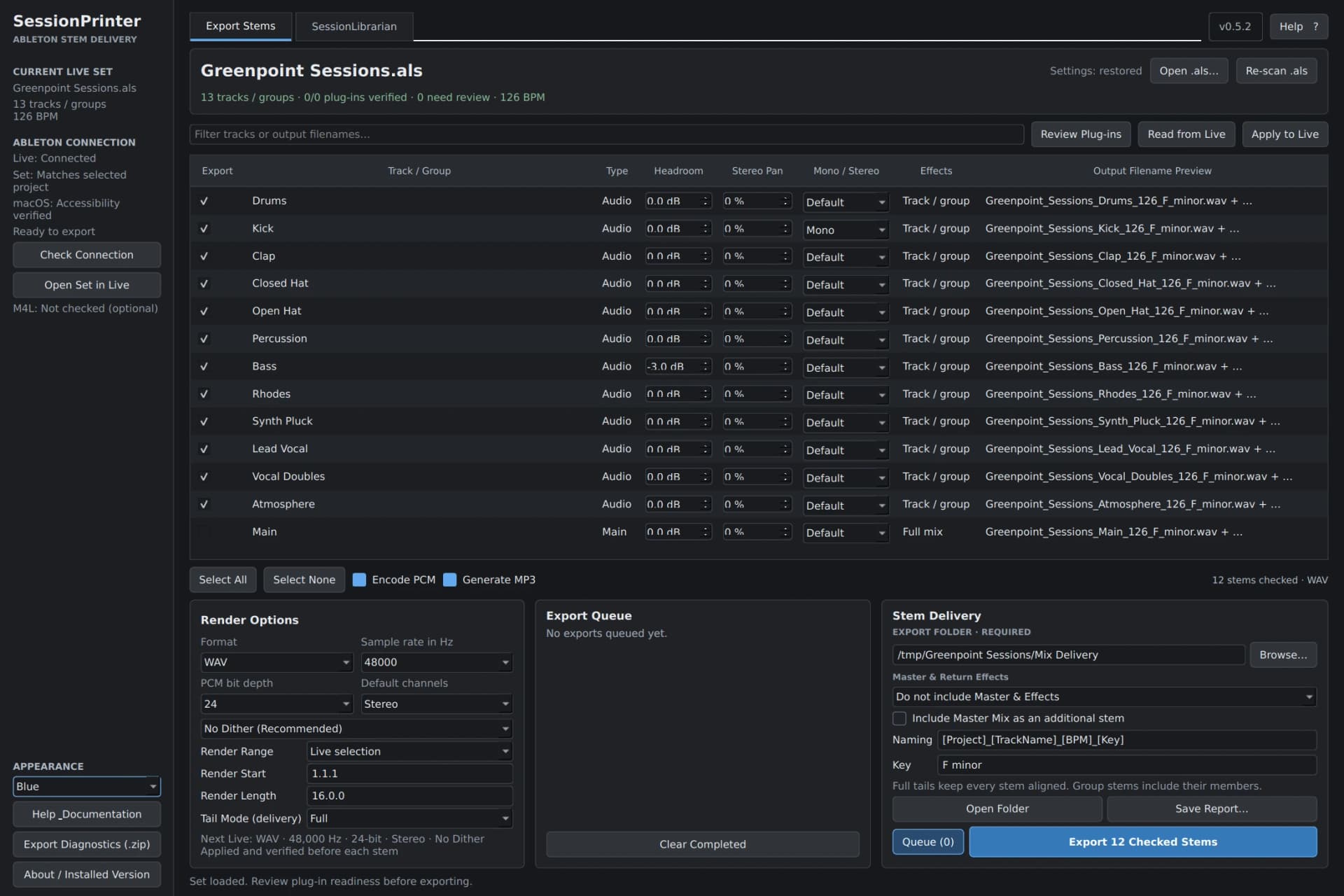 Explore the workflow
Your music stays yours.
No hosted AI. Your Live Sets, audio, export settings, and delivered stems stay on your computer. Your projects stay private, with no audio or project uploads.
Choose the stems that matter
Choose individual tracks and groups from your .als project, then let SessionPrinter run their exports through Ableton Live.
Dial in the delivery once
Set the render range, WAV or AIFF format, sample rate, bit depth, and optional MP3 copies in one workspace.
Make every stem fit
Control mono or stereo, gain, pan, and master/return effects. Export with effects, without them, or both.
Pick up where you left off
Restore track choices, naming, and export settings for each project. The optional included SessionLibrarian naming companion uses Max for Live.
Join the beta
Get SessionPrinter beta access and help shape the next version.
From our studio.
For your next move.
Used by Lit Factory NYC and its clients to prepare projects for mixing, remixing, stem mastering, Dolby Atmos mixing, additional production, and collaboration. Built around the handoffs that happen in a working studio.
The creative work is done. Get it out of the session and into the next pair of hands. Choose the tracks and groups to deliver, configure the files in one place, and let SessionPrinter coordinate the individual renders through Ableton Live. Return for a revision and your project-specific track choices, names, and export settings are already there.
Built for revisions
Set up a delivery once. Return ready to print.
SessionPrinter automatically saves your selected tracks, naming choices, export range and output settings with each Ableton project. Reopen the Set for a revision and start from the choices you made last time.
A small settings file lives beside your .als project. SessionPrinter does not rewrite or rename the original Set during stem export.
- 01 / Select
Choose tracks and groups
Focus the delivery on exactly the parts your collaborator needs.
- 02 / Configure
Save the export setup
Keep format, render range, effects choices and per-track overrides with the project.
- 03 / Revisit
Make the next revision easier
Review the restored selections and change only what is different.
Inside SessionPrinter
See your next workflow.
01
From Live Set to handoff.
Select your stems and review their delivery names together.
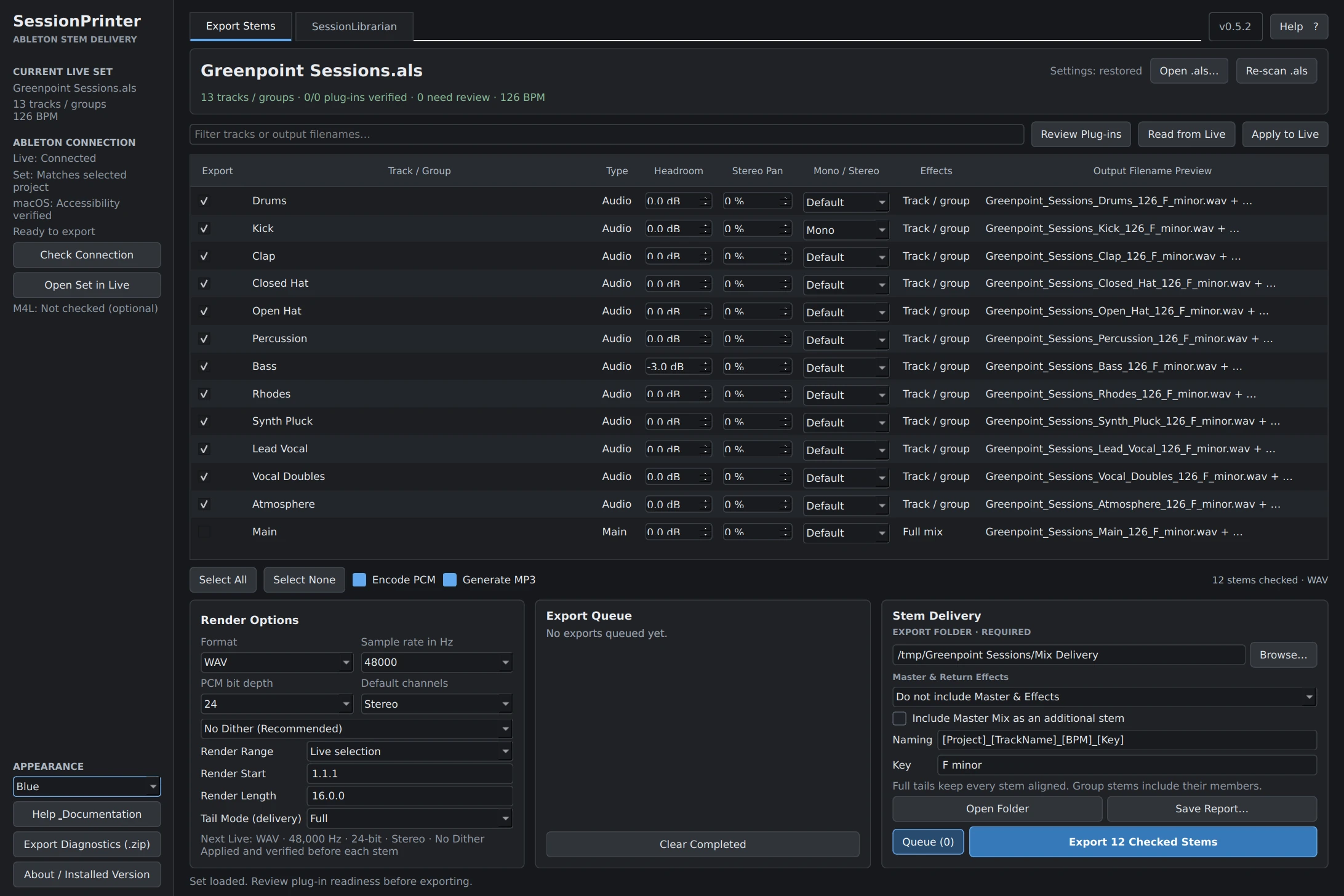 View full size
02
Your delivery. Your settings.
Set formats, per-track overrides, and effects choices before the export.
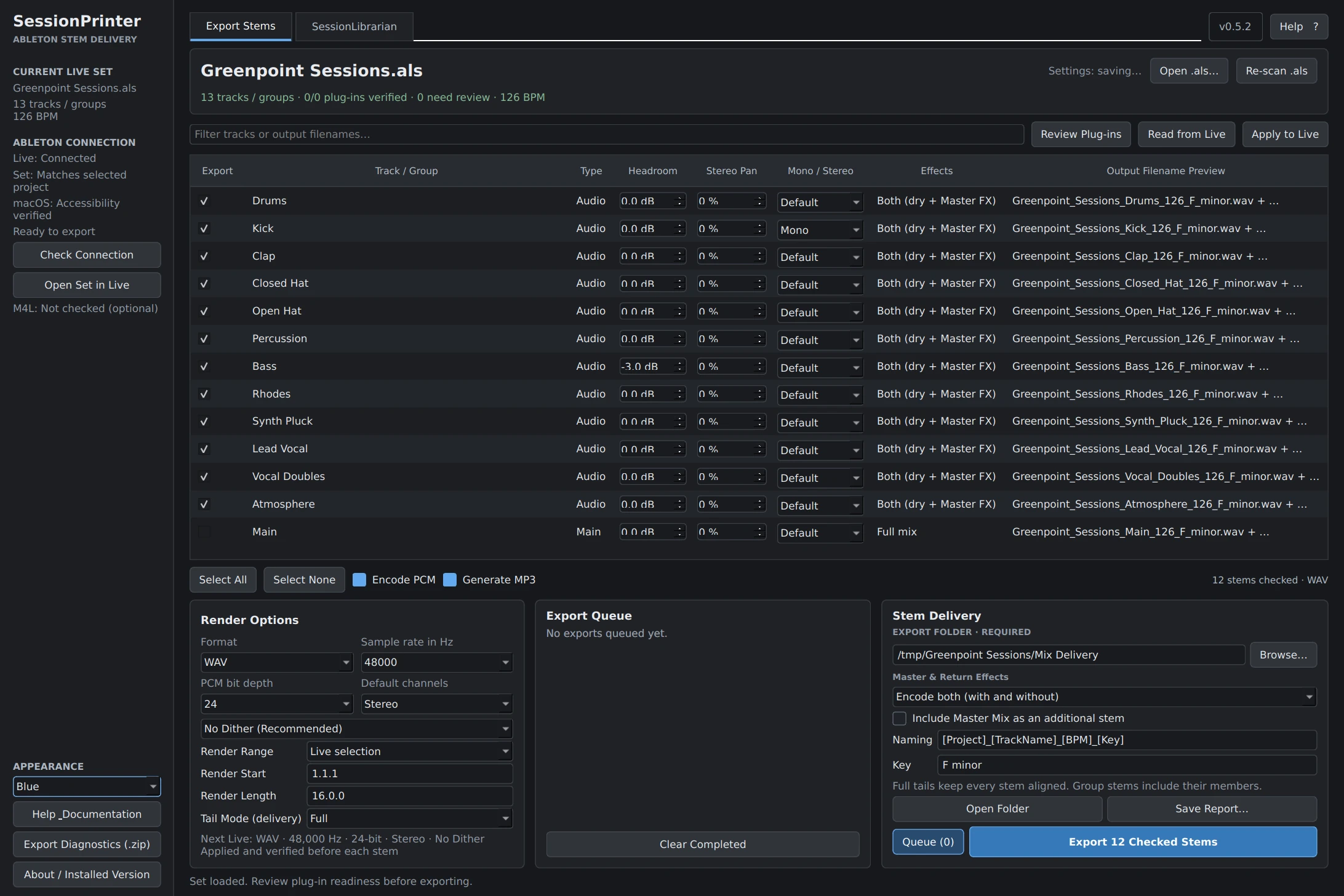 View full size
03
Clean names. Clear handoffs.
Prepare track and clip names with the included optional SessionLibrarian companion.
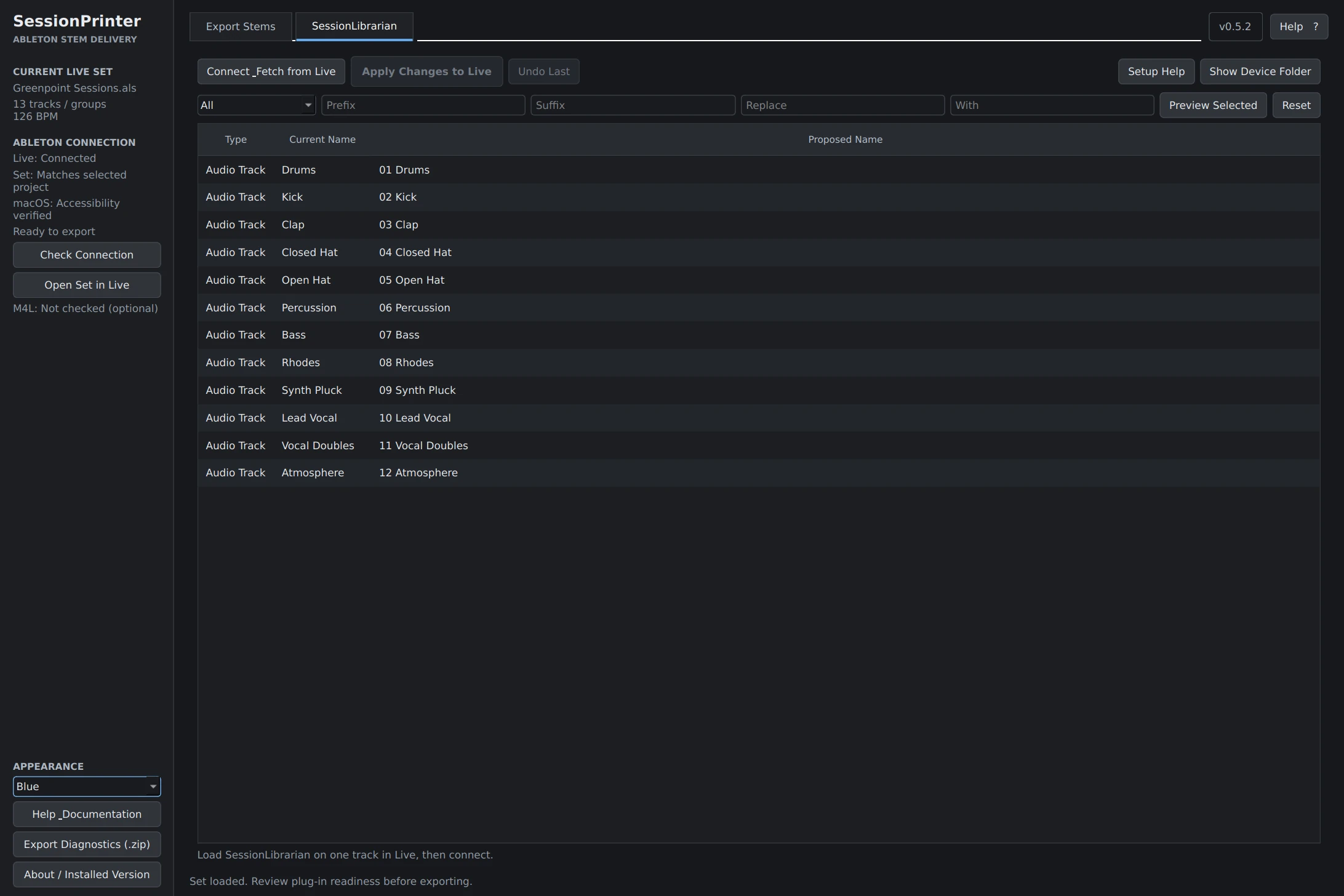 View full size
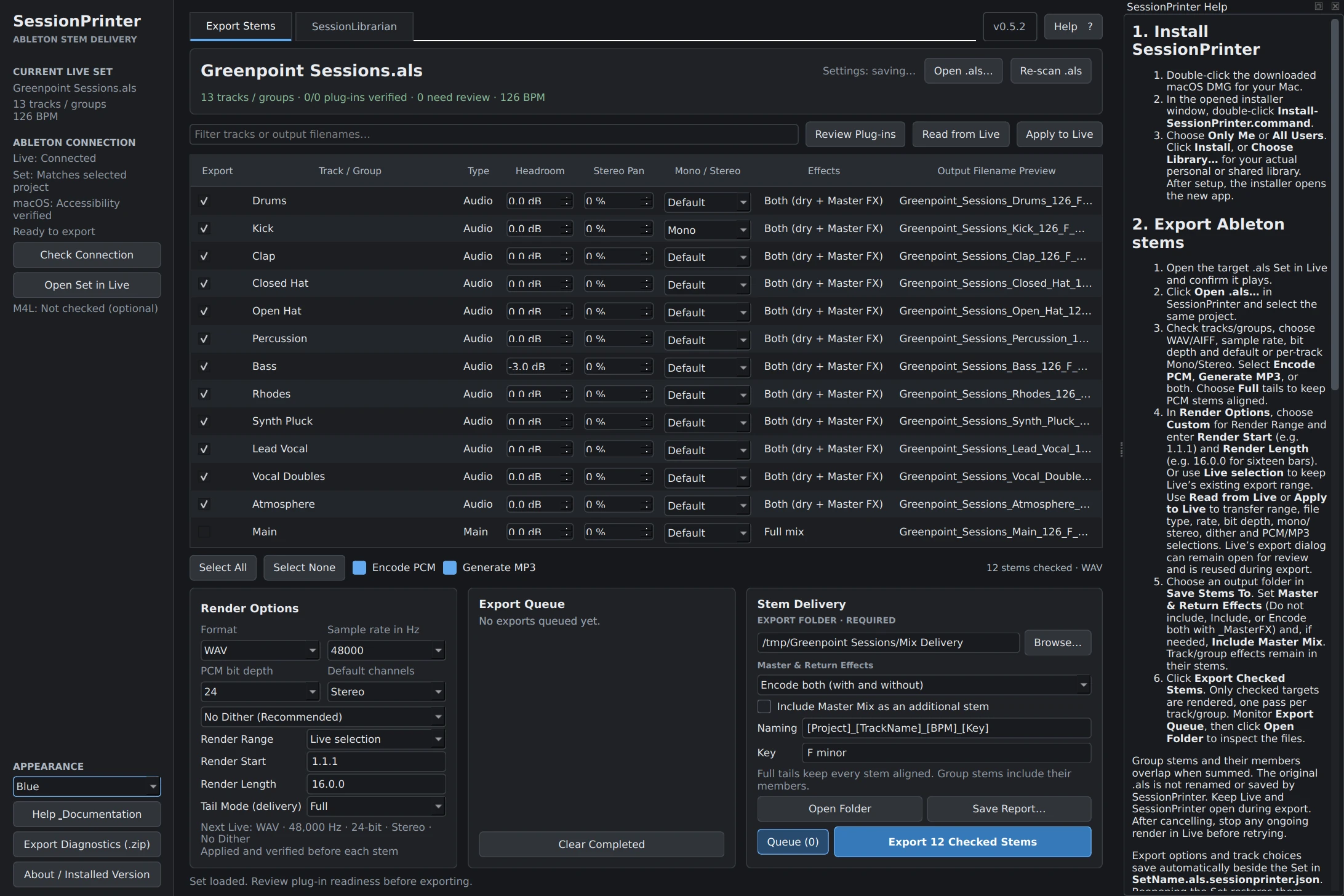
04
Guidance beside the session.
Keep the export instructions open alongside the controls you are using.
 View full size
Before you begin
System requirements.
- Mac: Intel Macs running macOS 11 or later, or Apple silicon Macs running macOS 12 or later, are the release targets. Final compatible configurations will be confirmed after beta testing.
- Ableton Live: Live must be installed on the same Mac. SessionPrinter controls Live to render your actual project tracks; compatible Live versions will be confirmed for release.
- Permissions: macOS Accessibility and Automation access are required to control Live's export window.
- Max for Live: Not required to export stems. It is required only if you choose to use the included, optional SessionLibrarian track and clip naming device.
- Windows: Not part of the current Mac beta.
Good to know
Frequently asked questions.
- Does SessionPrinter separate a finished stereo mix?
- No. It exports real tracks and groups from your Ableton Live Set. It is not AI stem separation.
- Do I need to open Ableton Live?
- Yes. The Set you are exporting must be open in Live. SessionPrinter can open the selected Set in Live and checks the connection before rendering.
- Will my original .als file be changed?
- Stem export does not save or rename your original Set. Export preferences are stored in a separate project-side settings file. Optional SessionLibrarian renaming is a separate, user-directed action in Live.
- Does it make Ableton render audio faster?
- No. Ableton performs the actual rendering at its usual speed. SessionPrinter reduces the setup and repeated export steps around it.
- Can I use Live while stems export?
- Leave Live's export window and controls alone while the export queue is running so SessionPrinter can complete each render reliably.
Put SessionPrinter to work.
Join the list for beta access and product updates.
Turning your stems into a sample pack? Explore SessionPacker