SessionPacker
Your next sample pack is already in your sessions.
Turn the sounds in your existing projects into loops, one-shots, and organized sample packs with a new life beyond the original record.
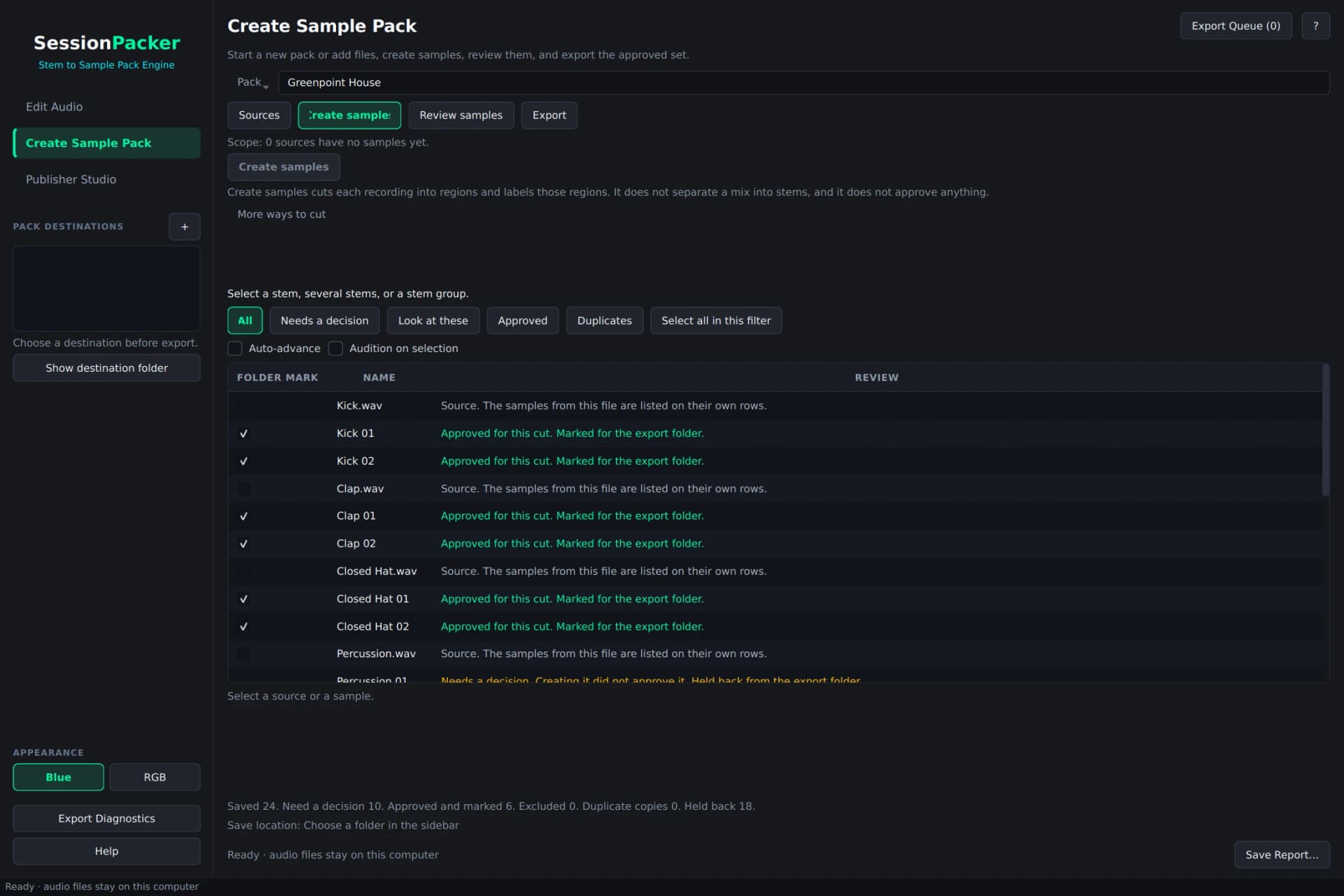 Explore the workflow
Your music stays yours.
No hosted AI. Audio analysis and processing run locally. Your recordings, samples, analysis, and pack files stay on your computer, with no audio or project uploads.
Find the material in your stems
Analyze audio locally for BPM, key, and instrument suggestions, with assisted slicing into loops and one-shots.
Create, audition, approve
Process a stem or stem group, review the suggested samples, and choose exactly what belongs in the pack.
Refine without losing the source
Adjust sample boundaries, fades, and other edits, then apply the result to the sample you are reviewing.
Package the collection
Organize names and metadata, review readiness in Publisher Studio, and prepare a local folder or ZIP for submission.
Join the beta
Get SessionPacker beta access and help shape the next version.
From our studio.
For your next move.
Used by Lit Factory NYC clients and collaborators to quickly make sample packs from existing projects and prepare them for monetization through platforms such as Splice, Loopcloud, and other sample marketplaces. Turn the work you already have into your next opportunity.
Give your unused grooves, signature hits, and studio experiments a second life. Start with stems or recordings, create sample candidates with local audio analysis, audition the best moments, and shape a collection worth sharing. Move from raw audio to reviewed samples and a packaged release in one app.
Inside SessionPacker
See your next workflow.
01
Start with the music you made.
Bring in your stems and create samples with the guided Create workspace.
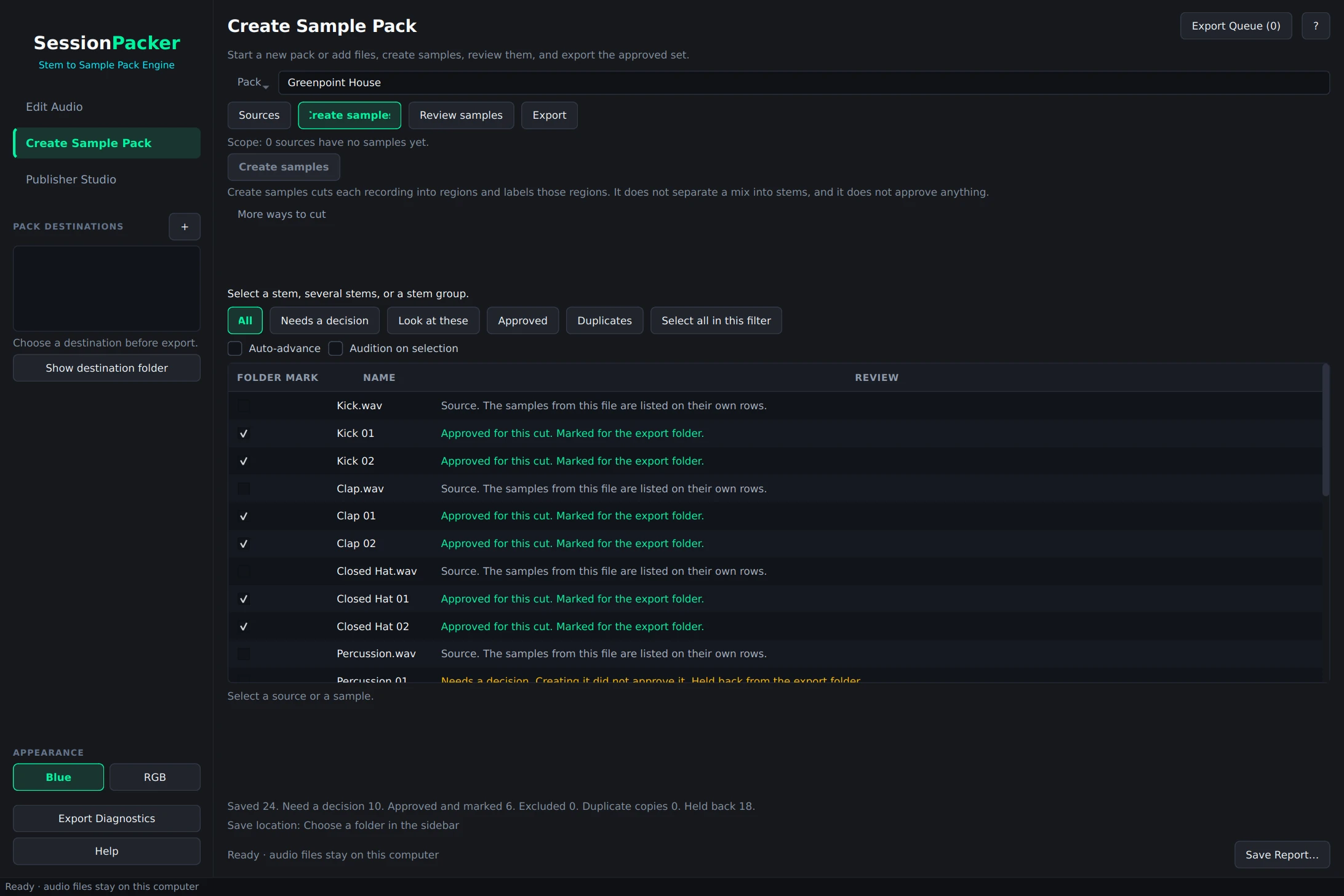 View full size
02
Keep the moments that hit.
Audition, inspect, and approve individual samples before they enter the pack.
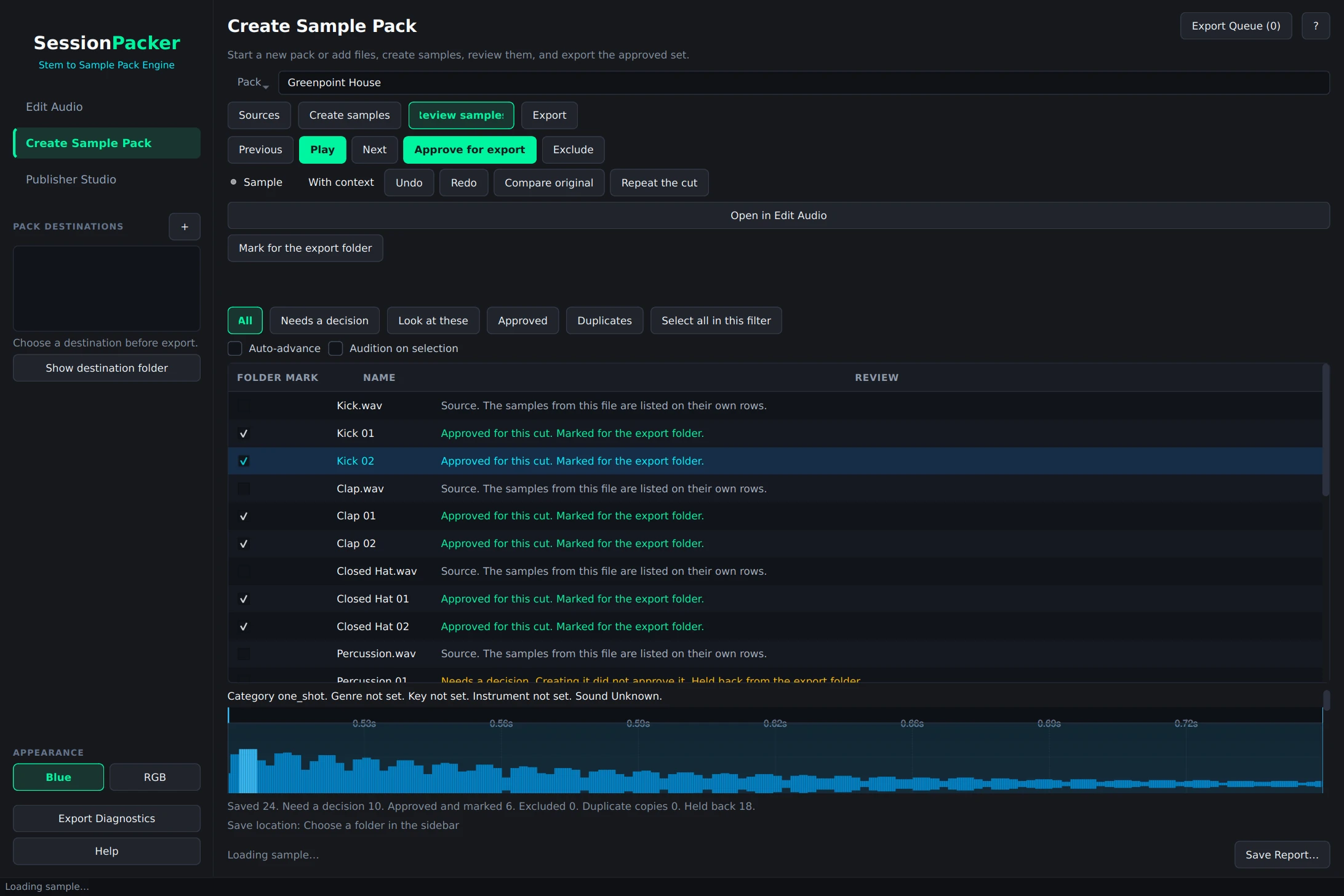 View full size
03
Make every cut count.
Refine the waveform and apply your edits to the sample under review.
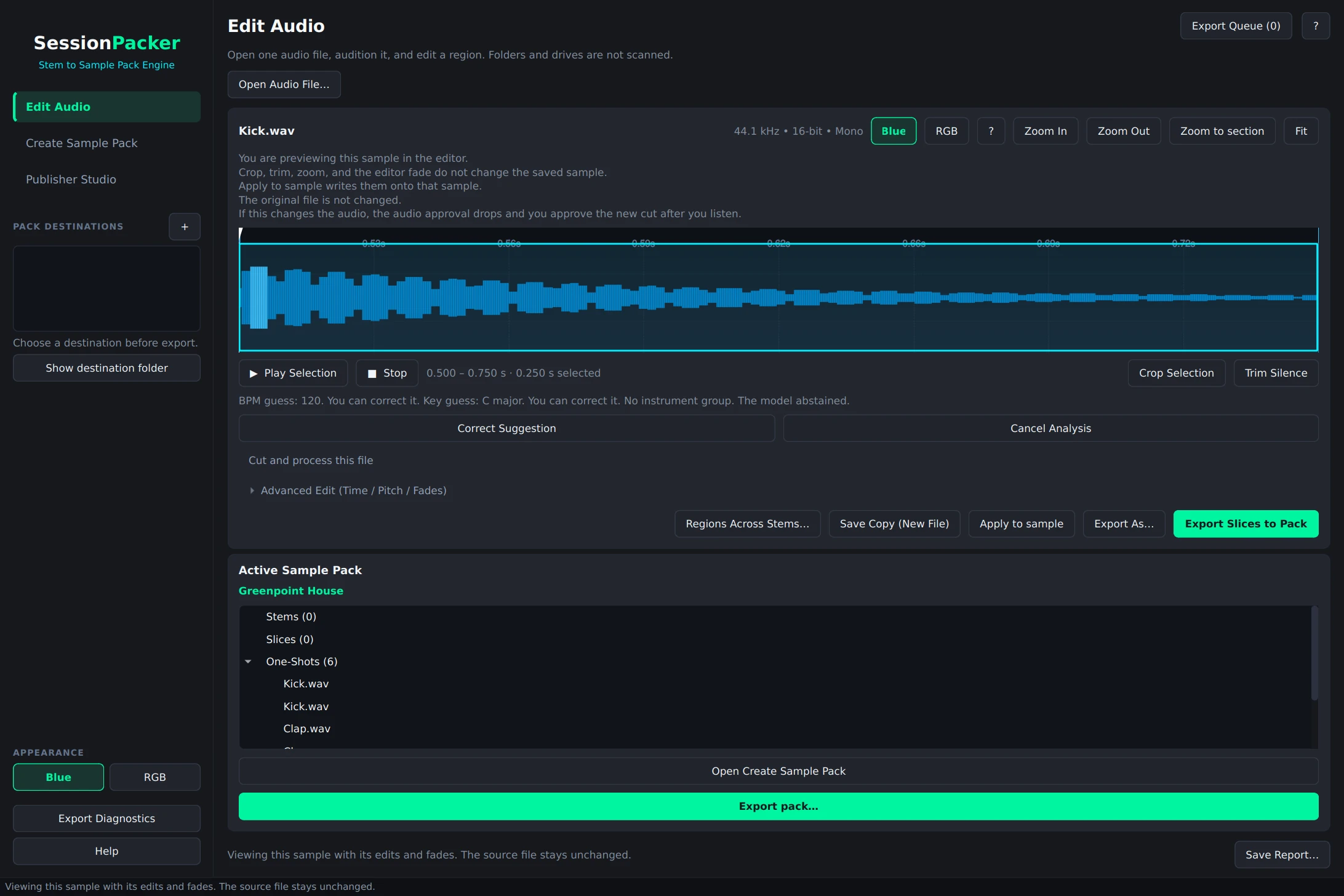 View full size
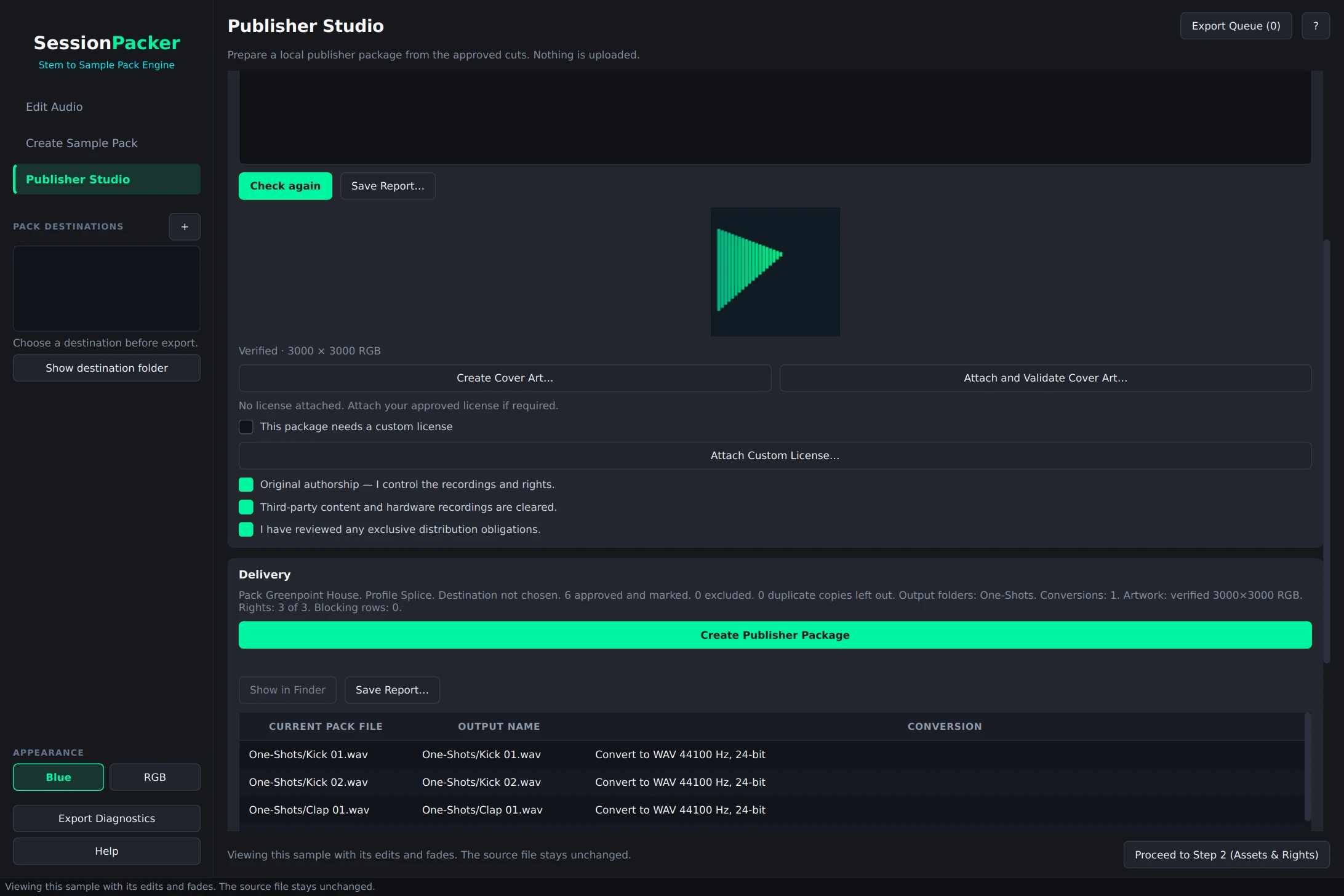
04
Turn a collection into a delivery.
Check artwork and rights, preview delivery names, and prepare your local package.
 View full size
Put SessionPacker to work.
Join the list for beta access and product updates.
Need to print stems from Ableton Live first? Explore SessionPrinter