SessionSplitter
Stem separation on your Mac.
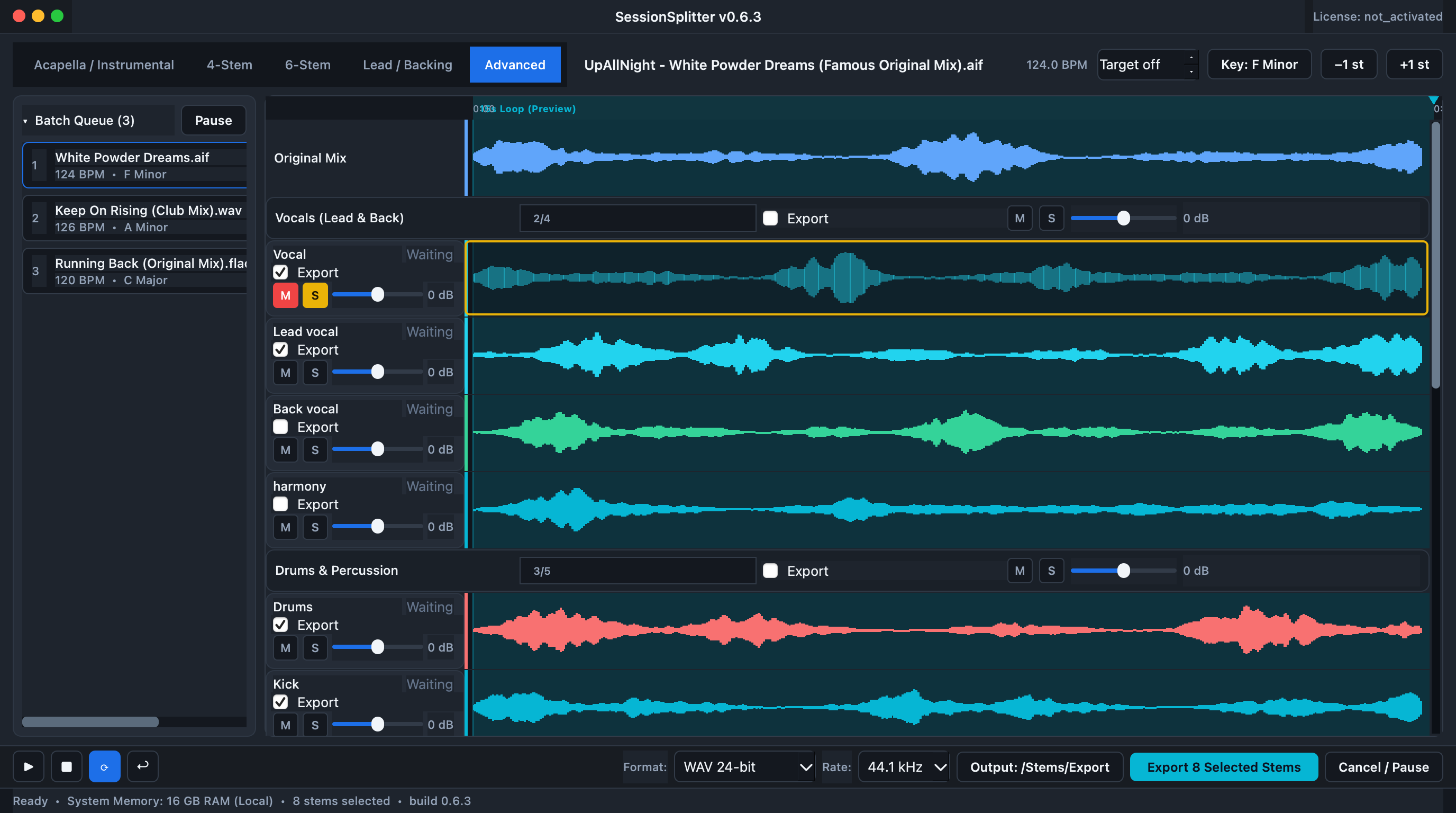
Separation workspace
SessionSplitter 0.6.3 with the batch queue, Advanced lanes, and the export dock. Captured 21 November 2026 from the installed Intel build.
Separate tracks. Keep your options open.
Separate a mix into stems on your Mac. Queue files, choose a separation, audition the lanes, and export the stems you want.
Choose the separation
Acapella / Instrumental and 4-Stem are the standard modes. Experimental modes are labeled in the app.
Queue more than one file
Import a list, pause it, and process when the model and license checks pass.
Audition, then export
Solo a lane, tick Export, and write WAV, AIFF, or FLAC at 44.1, 48, or 96 kHz, or at the source rate.
Models stay on this Mac
Model Manager downloads or installs the pack a mode needs. Audio is not uploaded for separation.
From our studio.
For your next move.
Built for the preparation behind remixes, edits, and alternate versions: pull the parts you need and leave the rest of the mix on disk.
SessionSplitter 0.6.4 is Pre-release. It imports audio, queues files, and separates them on this computer. Acapella / Instrumental and 4-Stem are the standard modes. 6-Stem, Lead / Backing, and Advanced are marked experimental in the app. Export writes WAV, AIFF, or FLAC. A separation job requires an authorized license. The verified installed baseline is Intel macOS 11.6.4. Apple Silicon and Windows are not recorded as verified customer platforms.
Your projects stay yours.
Separation runs on your computer. The app does not upload the audio to a hosted separation service. A license check runs before a separation job starts.
The workflow.
Import
Add one or more audio files to the batch queue.
Choose
Pick a stem mode. Advanced opens the stem checklist.
Process
Start the queue after the license and model checks pass.
Export
Set the format, rate, and folder, then export the selected stems.
SessionSplitter questions.
What is SessionSplitter?
SessionSplitter 0.6.3 is a Pre-release app that separates a mix into stems on your Mac. Acapella / Instrumental and 4-Stem are the standard modes. Other modes are marked experimental.
Does it upload my audio?
Separation runs on your computer. It does not send the audio to a hosted separation service.
Which exports and Macs are covered?
The dock writes WAV, AIFF, and FLAC. The verified installed baseline is Intel macOS 11.6.4. Apple Silicon and Windows are not recorded as verified customer platforms. A separation job needs an authorized license.
Before you begin
System requirements.
- Verified baseline: Intel macOS 11.6.4, recorded on the six-core reference Mac.
- Not recorded as verified: Apple Silicon and Windows customer installs.
- License: A separation job does not start until the app has an authorized license.
Put SessionSplitter to work.
Join the SessionSplitter Pre-release list for access and updates.
SessionSplitter in Action
Neural stem separation demonstrated on NOAM — 2 Damn High (Excerpt) with full vocals and beat.
Secure payment via Stripe. Instant digital delivery.